The sheer number of tools drives lateral thinking. The focus remains on experimentation and trial and error, for now.

The previous post focused on the visual tools I plan on using to drive my project, implementing Stream Diffusion and AutoLume live within TouchDesigner. This post will focus on the audio tools I will also connect to TouchDesigner.

Starting off, one of the primary tools for AI audio generation I'll be using is Max 8 by Cycling 74. This tool is somewhat similar to TouchDesigner in implementation and presentation, being a node-based visual programming tool, geared towards audio as opposed to video.
After becoming familiar with the program, I did some research on AI audio tools that I could either use within the program, or otherwise.

The first tool I experimented with is DDSP by magenta. I attempted to run this locally in VSCode, and eventually decided to move on from local audio generation as a whole. I got as far as successfully installing the dependencies and successfully getting it set up in a virtual environment. The problem with running these tools locally is that they run on older versions of python, so it is a hassle setting up a venv with conda and making sure the dependencies all run correctly on that version of python.

Finally when I moved onto Max 8, I started with trying to implement RAVE, using the nn~ package by ICRAM. Similar problems ensued through trying to install the package correctly and actually getting it to work within Max 8, so I went back to the drawing board and did some more research.

Eventually I came across Taylor Brook and his work in AI audio in Max 8. The two tools he developed will likely contribute greatly in my final project, one more so than the other.
TENSED COMPUTER IMPROVISOR
The first an more important of these two programs is the Tensed Computer Improvisor, or TCI for short. This is an interface designed in Max 8 that makes use of machine to improvise audio generation based on user input. It is affected by the input of sounds, and can be trained on audio files or by recording yourself.
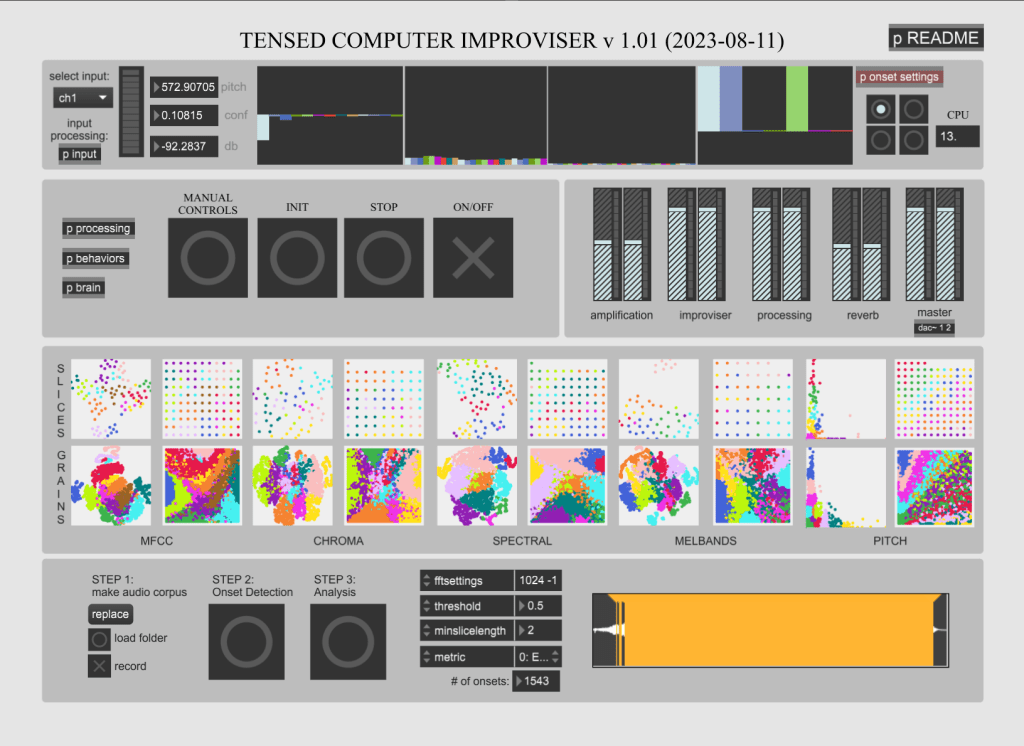
Allowing for continuous behaviors upon re-coding of audio, my current hope is to gather ambient audio of all different types and using the load folder function in the bottom to get some unique sounds from a large dataset. Additionally, as I have mentioned before, it is possible to connect the audio to Midi, and OSC to influence visuals in TouchDesigner, or to influence the behavior of the audio in Max 8.

The program is CPU intensive, and I have made adjustments to my PC accordingly, and it runs stably at about 10-17% of CPU utilization.
SCUFFED COMPUTER IMPROVISOR
The next tool Brooks developed within Max is called the Scuffed Computer Improvisor, or SCI. This tool is somewhat less developed than the TCI, and is still in early beta. As such it is prone to crashing and CPU issues, but I've mitigated it the best I can through system settings.

What differentiates SCI from TCI is the improvisor training options in the upper right-hand side of the interface. Compared to TCI, the behavior training is more streamlined and autonomous, allowing for training from sound files or live audio. The improvisor behavior options also allow for some productive generation based on training, as opposed to being reactive to an input. Again, this is exciting to me for my project goals as far as a feedback loop to pure AI audio and visual experiences. Additionally, SCI has OSC and UDP outputs already built in, while I have to manually do it in TCI. This is not a big deal as OSC connection is pretty easy to implement in most of today's programs, but it's a nice added touch.

Finally, just as a simple proof of concept, I connected the TCI master output to a UDP out object, which I then picked up in TouchDesigner with an OSC In CHOP.
The audio being played is derived from a house song called "Lose My Mind". Since it's pretty jumbled around, and the training is from just the one audio file, it doesn't sound "good". With a much more extensive and curated dataset, the audio can end up sounding varied and pleasant, elevated by potential visuals and controls.
ABLETON LIVE
Finally, we have Ableton Live, a very popular DAW. Ableton is lauded for its extensive features and multi-connectivity options (again with OSC and MIDI). There is also integrated connectivity with TouchDesigner, through TDLive, which makes connection between sets and visuals very streamlined.
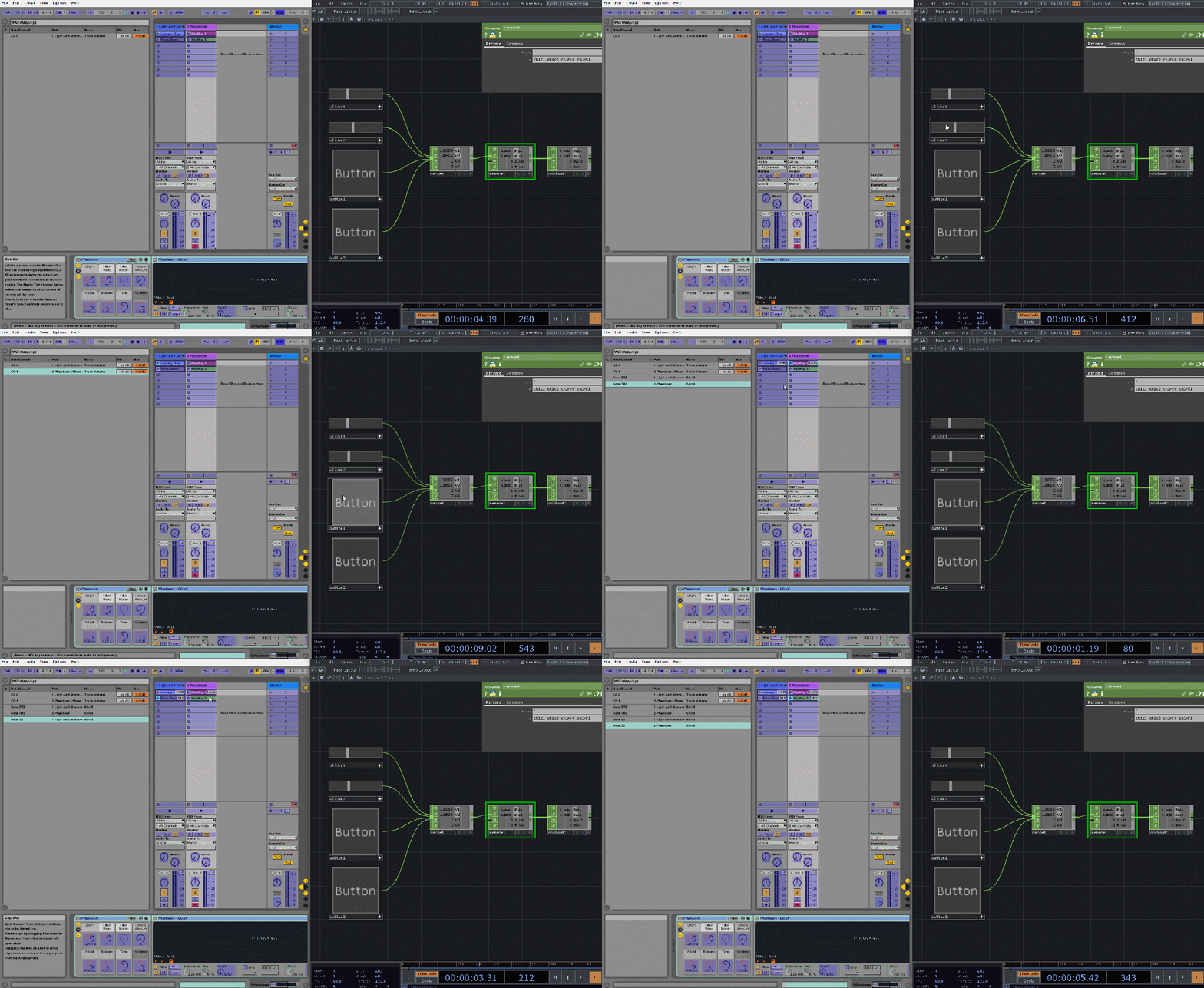
I have not installed or played around with Ableton much, but in doing my research for the other audio tools I have found that models such as Magenta, DDSP, and RAVE all have supported plugins for AI audio within Ableton, although I am able to completely gauge how live continuous audio could be generated in such a setting. I will eventually get into it with a trial version, and see if the goals of my project necessitates purchasing the software. If I determine so, Ableton and these plugins will most likely earn a part 3 in the Tools of the Trade posts.

-Ryan

 un-prompted
Leave a comment